
Copyright Disclaimer: under section 107 of the Copyright Act of 1976, allowance is made for “fair use” for purposes such as criticism, comment, news reporting, teaching, scholarship, education, and research. This project is a proof-of-concept, and as such does not represent nor infringe on the creator(s) in any way.
Introduction
When the movie Encanto was first released in 2021, I was immediately mesmerized by the musicals created by talented Lin-Manuel Miranda. The most memorable song to me, and to many other fans, is without any doubt, “We don’t talk about Bruno”. My love for this song is deepened when I found out that there is a multilingual edit on Youtube. Guess what, it’s even better than Frozen!
This is truly a fantastic way to showcase the quality localization work being done to a movie, or a song, to be specific. It involves lyric translation, song dubbing and a possible centralized mixing process. I wanted do the same for my beloved movie “Les Miserables”, which was first released in 2012. This great piece of musical contains several classical songs including the famous “Do you hear the people sing?”. Unfortunately, even after more than a decade, this song has never been officially translated and dubbed into other languages on screen, but there are plenty of fan-made versions online. It would be exciting to collect those versions and edit them into a multilingual video while using Karaoke subtitles!
The official original MV of “Do you hear the people sing?” :
Workflow
1. Prepare assets
Since there are no official translated videos, the best approach would be choosing the fan-made versions of the highest quality I can possibly find. After spending some time searching the internet, I managed to find the translated videos in 6 languages: Mandarin, Japanese, Korean, German, French and Russian. There were videos in other languages but the mixing quality was subpar and the singing was inaudible.
I used Youtube4kDownloader to download all the audio files in .mp3 format. Combined with the original video (with the original audio embedded), now I have 7 audio tracks and 1 video track for visual reference. Once I named everything properly, the assets were ready to use.
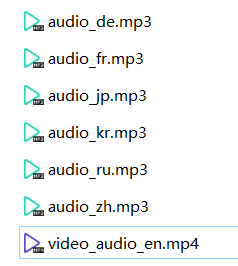
2. Edit audio tracks
In Adobe Audition, I created a new multitrack session and imported all the assets. Another setting I changed was to turn on the video reference by clicking “Window-Workspace-Edit Audio to Video”. This will allow me to check the lip sync along the editing process.
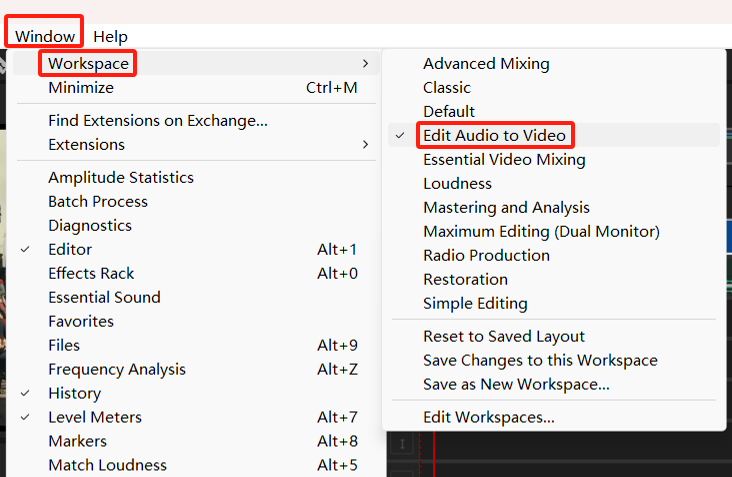
The next step was dragging the original video onto the first track and using the razor tool to segment the original English audio into 8 clips with nearly the same duration. Those clips would be replaced with translated clips one by one later.

From now on, I would drag the translated audios onto the following tracks one by one, name the tracks properly, and extract the same lines of lyrics corresponding to what I segmented in the original English audio. This step took quite a lot of time because not all audios shared the same speed, volume, timbre or tempo as the original. But that’s OK, I could edit a draft cut first and deal with the specifics later.

I combined all the translated clips onto one track, adjusted the speed, balanced the volume, added fade-in and fade-out, to make the whole song as natural as possible. I muted the original clips that had replacement translated audios, then I could finally export the multitrack mixdown for the next step.

3. Add on-screen text and replace audio
In Adobe Premier Pro, I added a title at the beginning of the video and a couple of on-screen text indicating the languages changes. It was a simple task. Apart from choosing fonts and colors I like, one thing I did was to add a 75% transparent background to the text boxes so that they would be more distinguished from the video itself.

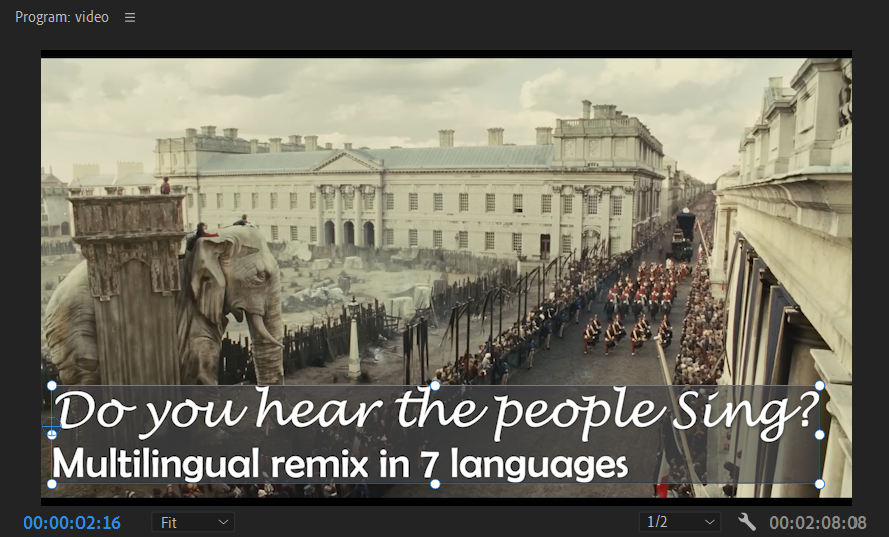
Next, I simply unlinked the original audio from the original video, and replace it with the mixdown. Voila, the video is good to go!
4. Add Karaoke Subtitles
For this task, I chose to use Aegisub because it provides Karaoke subtitle function that’s easy and intuitive to use. There were 3 reasons why I didn’t start with auto-generated caption in Adobe Premiere Pro:
- There were multiple languages, and they were in singing. It would be almost impossible for the engine to generate correct captions. As a matter of fact, I did give it a shot and the output was a disaster.
- Premiere does not support .ass files, which is the format of Karaoke subtitle. Even if I managed to generate a passable caption, it could only be exported to an .srt file, which could in theory be converted but it was not worth the effort, considering it’s only a 2-minute video and I was going to edit the Karaoke in Aegisub anyway.
- The lyrics were already available on the internet (except Russian), I could simply copy & paste.
First thing I did was to create a timeline. This could be easily done by dragging the red and blue line on the waveform to mark the in time and out time of a subtitle. Since this was not a serious corporate-level project, I skipped the hassle like frame gaps and spot changes. Once the timeline was created, copy & paste the existing subtitles took no time.

Adding Karaoke style to the subtitles was a little bit trickier. The first thing I needed to do was to segment each subtitle into individual characters (CCJ languages) or words (western languages). For Korean, it could be both as it has both individual characters and spaces in the sentences to serve as delimiters. After segmentation, all I had to do was to adjust the duration of each segment on the waveform to make the Karaoke “flow” simultaneously with the actually singing.
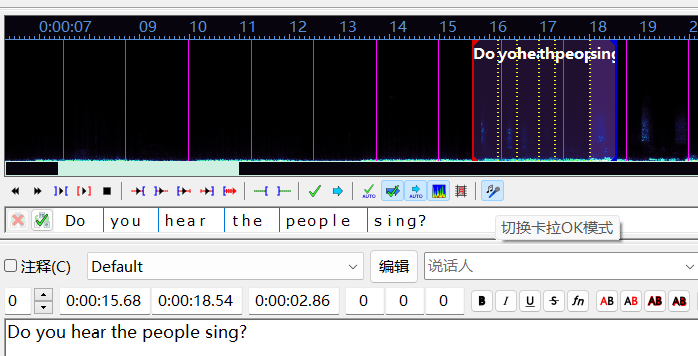
5. Burn in the Karaoke!
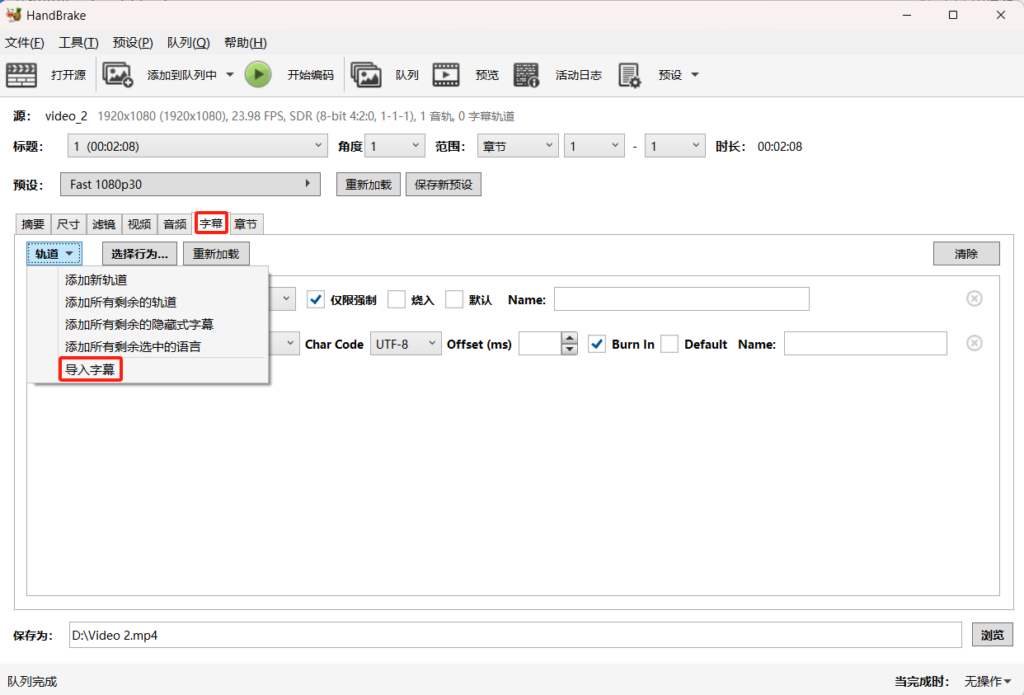
After I finished with all the subtitles (except Russian), I exported the .ass file and tossed it into Handbrake with the video for burn-in. As I mentioned earlier, Adobe Premiere Pro does not support .ass file so I wasn’t able to use that.
Enjoy!
Source
国语演唱悲惨世界【听听人民的呐喊】 Do You Hear The People Sing Les Misérables中文普通话 可听见人民在呐喊 YouTube
Les Misérables | Do You Hear the People Sing?
“民衆の歌” – Do you hear the people sing in Japanese
À La Volonté Du Peuple – Les Misérables (1,000 SUBSCRIBER SPECIAL)
🇰🇷유튜버6인이 부르는 ‘민중의 노래’ 한국어 커버 (Do You Hear The People Sing?)
Do you hear the people sing Russian version
Das Lied des Volkes Lyrics (Les Miserables – Do You Hear the People Sing German)